Firebase 無伺服器應用開發
課程概述
Firebase 是 Google 的行動與 Web 應用開發平台,把認證、即時資料庫、雲端函式這些服務都整合在一起。這堂課就帶你用 Firebase 全家桶,做出一個完整的無伺服器應用。
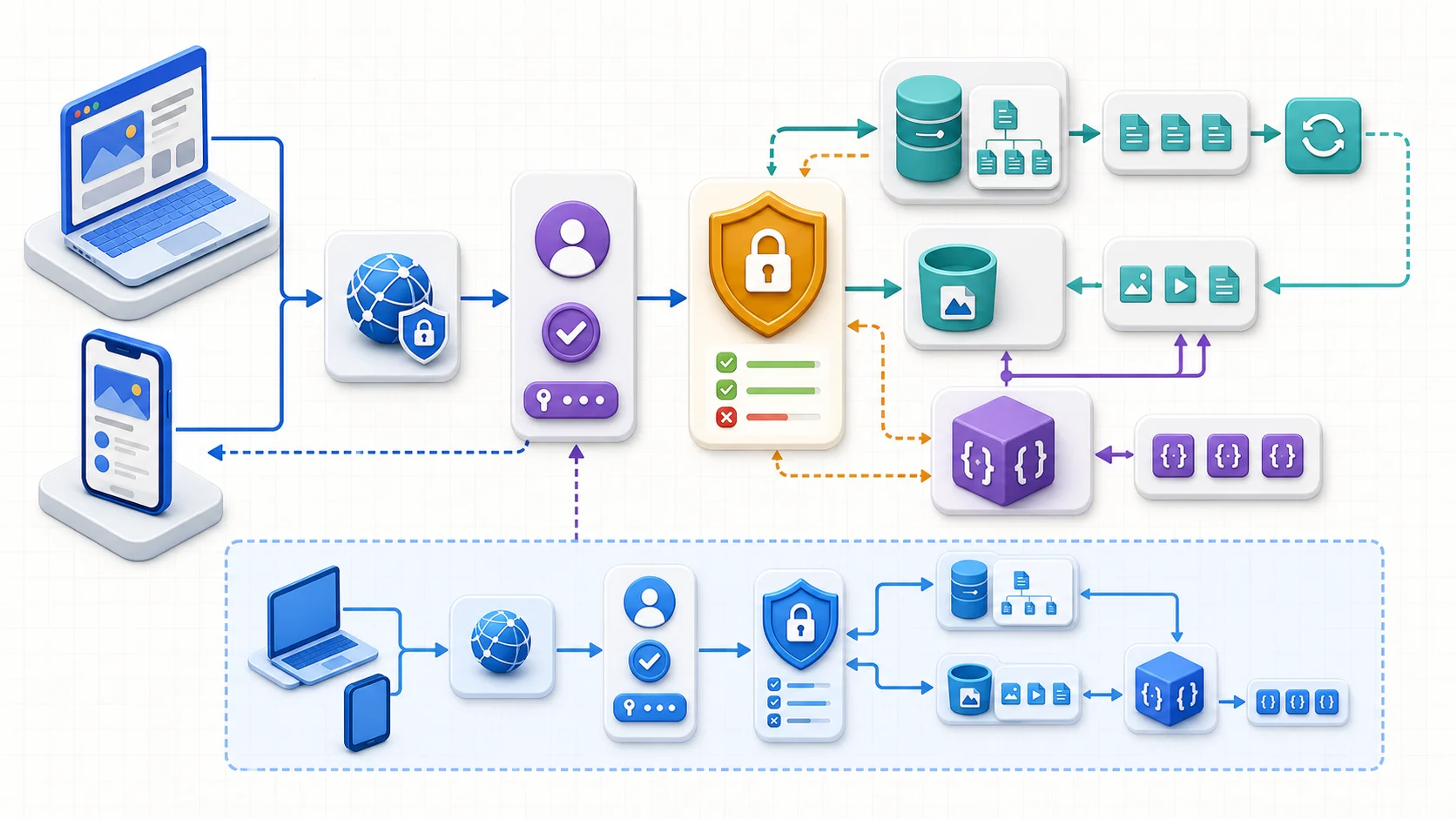
Firebase 的核心不是「前端直接碰資料庫」,而是每次資料存取都要帶 Auth 身分並通過 Security Rules。 Firestore 變更可即時回推,Storage/Firestore Event 則可喚醒 Functions 執行後端邏輯; 下方 Emulator 把同一條路徑搬到本機,避免測試直接碰生產資料。
你將學到
- 設定 Firebase 專案並連結 GCP
- 使用 Cloud Firestore 進行 CRUD 操作
- 實作 Firebase Authentication 使用者認證
- 部署 Cloud Functions for Firebase
- 使用 Firebase Security Rules 保護資料
核心概念
Firebase 核心服務
| 服務 | 功能 | 替代方案 |
|---|---|---|
| Cloud Firestore | NoSQL 即時資料庫 | Cloud Datastore |
| Firebase Auth | 身份認證 | Identity Platform |
| Cloud Functions | 後端邏輯 | Cloud Run |
| Firebase Hosting | 靜態網站託管 | Cloud Storage |
| Firebase Storage | 檔案儲存 | Cloud Storage |
Firestore 資料模型
Firestore 使用 Collection → Document → Field 結構:
// 新增文件
db.collection('users').doc('user1').set({
  name: '小明',
  email: 'ming@example.com',
  createdAt: firebase.firestore.FieldValue.serverTimestamp(),
});

// 即時監聽
db.collection('messages')
  .orderBy('timestamp')
  .onSnapshot((snapshot) => {
    snapshot.docChanges().forEach((change) => {
      console.log(change.doc.data());
    });
  });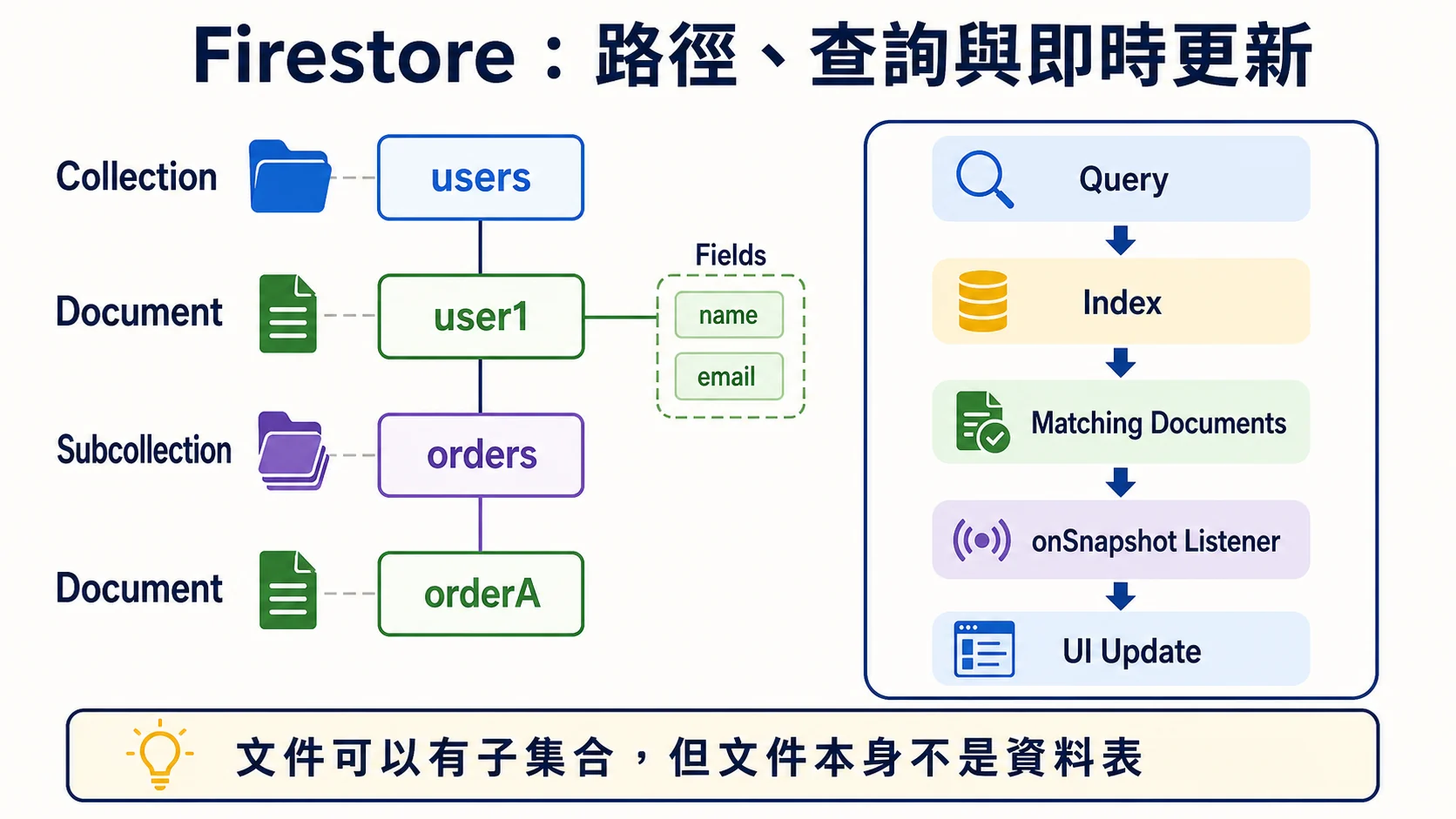
Firestore 路徑必須在 Collection 與 Document 之間交替;Document 可有 Fields,也能再掛 Subcollection, 但本身不是關聯式資料表。查詢先走 Index,再由 onSnapshot 把符合文件的變更推到 UI。
Security Rules
rules_version = '2';
service cloud.firestore {
  match /databases/{database}/documents {
    match /users/{userId} {
      allow read: if request.auth != null;
      allow write: if request.auth.uid == userId;
    }
  }
}流程圖暫時無法顯示,請重新整理頁面後再試。
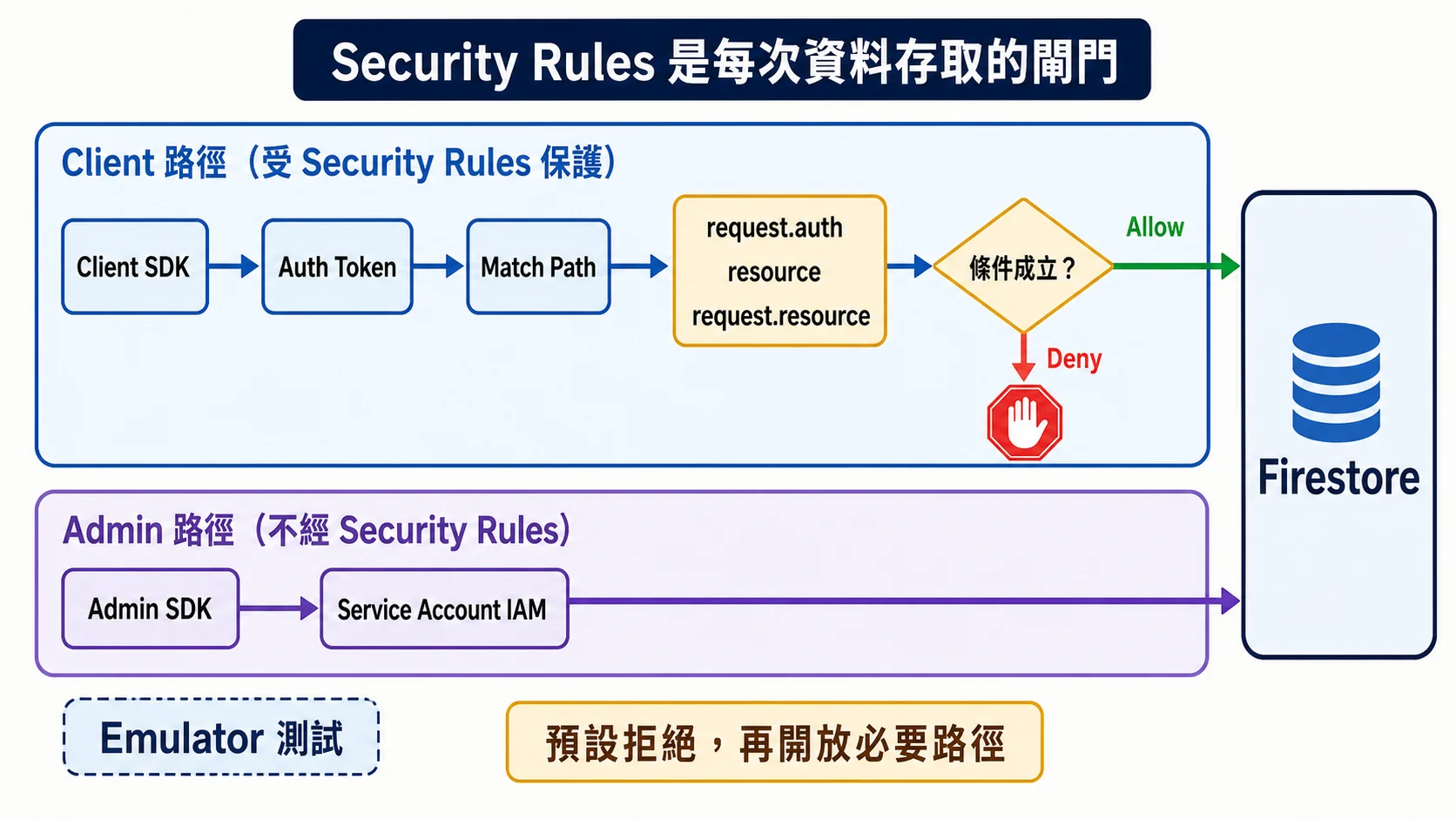
Client SDK 的每次存取都先比對路徑與 request.auth、resource、request.resource,只有 Allow 才能進入 Firestore。Admin SDK 不經 Security Rules,而是依 Service Account IAM;兩條路徑不可混為一談。
實作重點
- Firestore 有兩種模式:Native mode(即時同步)與 Datastore mode(與舊版 Cloud Datastore 相容,適合伺服器端應用,不支援即時/離線功能)
- 建立專案時需選擇 Firestore 位置,一旦設定無法更改
- Security Rules 是安全關鍵,永遠不要在生產環境使用開放規則
- Firebase Emulator Suite 可在本地端模擬所有 Firebase 服務
Skill Badge 指引
Lab 連結:Develop Serverless Apps with Firebase — 完成此 lab 可獲得 Skill Badge
延伸學習
- GenAI 結合:Vertex AI + Flutter 打造 AI Agent
- 本系列下一課:部署應用到 Kubernetes
相關文章
您可能也會對這些文章感興趣
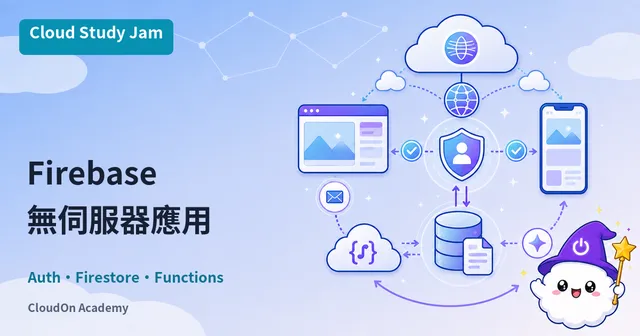
Firebase 無伺服器應用開發
使用 Firebase 全家桶開發無伺服器應用,涵蓋 Cloud Firestore 即時資料庫、Firebase Authentication 與 Cloud Functions for Firebase
管理 Kubernetes 叢集
進階 GKE 叢集管理技巧,包含 Cloud Monitoring 監控、Cloud Logging 日誌收集、節點池管理與自動擴展策略
部署應用到 Kubernetes
學習在 Google Kubernetes Engine (GKE) 上部署容器化應用,掌握 kubectl 操作、Deployment 與 Service 設定